Navigating Budget Soundbars
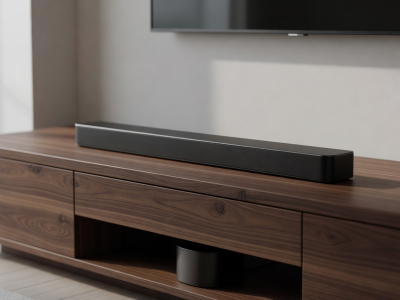
Entering the audio market can be intimidating. High-end systems touting expansive arrays and algorithmic room correction command premium prices. However, a drastically improved audio experience over standard television speakers does not require emptying your wallet. By understanding which specifications genuinely impact sound quality, you can identify budget soundbars that punch well above their weight class.
Prioritizing Core Acoustics
When engineering budget devices, manufacturers are forced to make concessions. The secret to finding value is identifying units where the budget was allocated to driver quality and cabinet rigidity, rather than secondary features.
A robust 2.0 or 2.1 channel system will almost always outperform a cheap 5.1 virtual surround system at the same price point. In the lower price tiers, complex DSP (Digital Signal Processing) attempting to mimic spatial audio often results in a thin, artificial sound profile. A well-tuned stereo setup, conversely, provides a clean, accurate representation of the mix, significantly boosting dialogue clarity.
Skip the "Smart" Features
If your budget is strict, actively avoid soundbars that heavily advertise built-in voice assistants or direct Wi-Fi streaming capabilities. These networking components cost money to implement—money that is subsequently removed from the speaker hardware budget. Rely on your television or dedicated streaming box for smart features, and let the soundbar focus entirely on producing sound.
The Subwoofer: Integrated vs. Dedicated
Low-end frequency response (bass) requires air volume. The physics of sound dictate that small enclosures struggle to produce deep, resonant bass.
- Integrated Subwoofers: Some budget bars claim to have "built-in" subwoofers. While they employ passive radiators or downward-firing mid-woofers to boost lower frequencies, they cannot reproduce true cinematic rumble. They are, however, excellent for small rooms where a separate box is visually or spatially intrusive.
- Dedicated Wireless Subwoofers: A 2.1 system includes a separate subwoofer. In the budget tier, these are usually lightweight cabinets. Finding a system that allows you to independently adjust the subwoofer volume is crucial, as out-of-the-box tuning on budget models often heavily inflates mid-bass to simulate power, resulting in muddy, overwhelming dialogue.
Connectivity on a Budget
Even entry-level soundbars should offer basic HDMI ARC (Audio Return Channel) compatibility. This allows you to control the soundbar's volume using your television's remote control, a feature known as CEC (Consumer Electronics Control).
If you are pairing a budget soundbar with an older television that lacks HDMI ARC, you will need to rely on the Optical Audio (TOSLINK) port. Optical is perfectly capable of transmitting high-quality 2.1 audio, but you will likely need to use the separate remote control included with the soundbar to adjust the volume. Always check the rear panel of your television to confirm your available output methods before making a purchase.