The Rise of Compact Soundbars
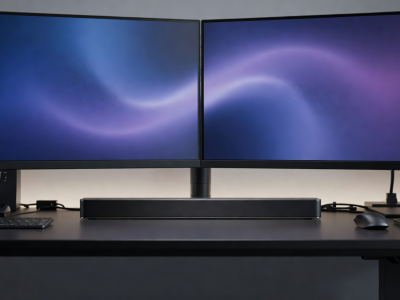
Not every audio environment spans a twenty-foot living room. The increasing prevalence of high-end desktop gaming setups, bedroom media hubs, and minimalist apartments has driven massive innovation in the compact soundbar category. Creating a small enclosure that does not sound "boxy" or thin requires advanced acoustic engineering.
The Physics of Small Enclosures
Traditional loudspeaker design relies on internal air volume to allow drivers to move freely and generate low frequencies. When you shrink the cabinet to fit beneath a 27-inch PC monitor, that internal air volume disappears. To combat this physical limitation, audio engineers utilize specialized components.
Passive Radiators: Instead of relying solely on powered woofers, compact soundbars frequently employ passive radiators. These are essentially unpowered speaker cones that move in reaction to the internal air pressure created by the active drivers. They extend the bass response of the system far beyond what the active drivers could achieve alone in such a small enclosure, without requiring a larger cabinet or additional amplification power.
Near-Field vs. Far-Field Listening
A crucial distinction for compact soundbars is their intended listening distance. Desktop soundbars are tuned for "near-field" listening—optimized for a listener sitting two to three feet away. Their stereo separation and DSP algorithms are calculated for tight angles. Using a near-field compact bar in a large living room will result in a narrow, unconvincing soundstage.
Connectivity for Desktop and Small Spaces
Compact soundbars must offer diverse connection options to interface with computing hardware alongside traditional media players.
- USB Audio: Unlike living room systems that rely on HDMI, many compact soundbars feature direct USB-C or USB-A connections. This allows the computer to bypass its often-inferior internal Digital-to-Analog Converter (DAC) and send a pure digital signal to the soundbar for processing.
- Bluetooth / Wireless: For secondary devices like phones or tablets, robust Bluetooth (preferably with aptX or AAC codecs) is standard in this category, keeping minimalist setups free of excessive cabling.
- 3.5mm Aux: An analog fallback is vital for quickly connecting legacy hardware or specific computing interfaces.
Aesthetic and Placement Advantages
The primary draw of a compact system is physical flexibility. Modern units often measure less than 20 inches wide and sit less than 2.5 inches tall. This low profile ensures they will not block the infrared receiver on a bedroom television or physically obstruct the bottom edge of a desktop monitor.
When selecting a compact system, pay attention to the driver orientation. Some compact bars angle their drivers slightly upward. This is an intentional design choice for desktop use, directing the high-frequency sounds (which are highly directional) directly toward your ears rather than firing them straight into your torso.