Soundbars for Gaming Performance
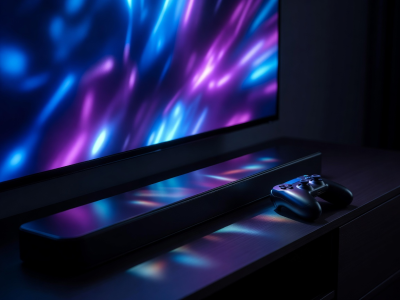
While headsets have long dominated the gaming audio sphere due to their localized spatial awareness and integrated microphones, a well-engineered soundbar setup provides an unmatched cinematic scope for living room gaming. Whether you are navigating dense open worlds or reacting to frantic multiplayer firefights, relying on thin TV speakers simply robs modern gaming engines of their carefully crafted soundscapes.
However, introducing external audio hardware into a high-performance gaming loop introduces specific technical hurdles—most notably latency and bandwidth limitations. Understanding these constraints is vital before selecting your equipment.
The Latency Equation
In gaming, latency is the enemy. Audio delay—where a visual action on screen (like firing a weapon or a character speaking) happens milliseconds before the sound reaches your ears—ruins immersion and can severely impact reaction times in competitive titles.
Audio latency often occurs during the processing stage. When a console sends an audio signal to the TV, and the TV then forwards it to the soundbar, digital handshakes and format decoding take time. To mitigate this:
- Use eARC: Standard ARC connections often introduce noticeable delay when processing formats like Dolby Digital. eARC handles uncompressed PCM audio effortlessly, vastly reducing processing bottlenecks.
- Game Mode Settings: Ensure that both your television and your soundbar have "Game Mode" active, which bypasses non-essential DSP (Digital Signal Processing) layers to output audio as rapidly as possible.
HDMI 2.1 Passthrough Capabilities
Modern gaming consoles natively output 4K resolution at 120 frames per second (fps), alongside features like Variable Refresh Rate (VRR) and Auto Low Latency Mode (ALLM). If you lack HDMI ports on your television and need to plug your console directly into the soundbar, the soundbar must have HDMI 2.1 passthrough.
The Bandwidth Bottleneck
Many current soundbars boast multiple HDMI inputs, but internally operate on older HDMI 2.0 specifications. Plugging a modern console into an HDMI 2.0 soundbar will cap your visual output to 4K at 60Hz, effectively stripping away the high-framerate benefits of your hardware. Always verify the exact passthrough specifications before planning your wiring route.
Spatial Awareness and Subwoofer Impact
In competitive gaming, positional audio is a crucial mechanic. Knowing whether footsteps are approaching from the front-left or the rear-right dictates gameplay strategy.
A standard 2.0 or 2.1 soundbar cannot provide true rear spatial cues; it relies entirely on front-facing stereo separation. For serious gamers wanting to shed the headset, a system with dedicated rear surround satellites is mandatory. Furthermore, gaming audio heavily utilizes the Low Frequency Effects (LFE) channel. Engine roars, explosions, and environmental ambiance require a dedicated, suitably powered subwoofer. Look for systems that allow independent volume control of the LFE channel, so you can balance room-shaking bass without drowning out critical mid-range dialogue and subtle directional cues.
Dedicated Gaming Modes
Many modern units feature pre-programmed EQ profiles labeled "Game" or "FPS". These profiles typically manipulate the frequency response by aggressively boosting the mid-high frequencies (where footsteps and reload mechanics reside) while slightly tightening the bass to prevent muddying the mix. While these profiles are highly beneficial for competitive shooters, players of atmospheric RPGs may prefer to leave their systems in a standard or cinematic mode for a more natural acoustic curve.